Last updated: November 13, 2026
Key Takeaways
- A content intake triage system starts with one gate: no request enters production before intake review.
- A content intake triage system should decide four things: brief completeness, urgency, ownership, and capacity.
- You score urgency with written rules, not by chasing the loudest request.
- A triage form should capture only enough detail to decide in under 5 minutes.
Your team has content requests piling up, and AI work keeps slipping past the first gate. Quick Answer: a content intake triage system gives every client request a fast, repeatable path from inbox to the right queue. The steps below show how to filter, score, route, and cap requests before they enter production. This guide to How to Build a Content Intake Triage System for AI Requests keeps intake decisions consistent and fast.
Build the intake gate before the queue fills up

A content intake triage system starts with one clear rule: no content request enters production until it passes the same intake gate. Picture this: you’re opening a Monday inbox with blog asks, rewrite notes, and half-finished briefs, and you need a way to sort the pile in 10 minutes, not 2 hours.
The gate is not the draft stage. It is the place where the editorial lead decides whether a request is ready, urgent, or dead on arrival. If a request cannot be understood in one pass, it should not be scheduled.
The truth is, most teams may fail here because they treat triage like admin work; if you need advice tailored to your workflow, consult a content operations professional. It is a content operations control point, and it needs a standard.
- One form for all requests
- One reviewer for the first pass
- One status for each outcome: accept, hold, reject, or route
If you want the bigger operating model behind this, the hub on AI content operations for teams sits above this page and covers the wider system.
The intake layer is where that system starts working.
What should a content intake triage system decide?
A content intake triage system should decide four things: is the brief complete, how urgent it is, who owns it, and whether the team has room for it. Picture this: you’re staring at two client request forms, one with a deadline and no goal, the other with a clear audience and no source notes, and you need a rule that picks the next move every time.
That is the job of triage. It is not trying to make the content good yet. It is deciding whether the request deserves the next hour of labor.
A good triage system answers these questions fast:
- Is the request complete enough to work on?
- Does it have a real business reason?
- Is the deadline real or just wishful?
- Does the work fit current capacity?
- Does it belong with the editorial lead, a writer, a strategist, or a specialist?
- Use the same decision path for every request
- Keep the first pass under 5 minutes
- Store the result in the same place every time
Here is the catch: if every reviewer uses personal judgment without a shared rule, the queue turns political. Requests with loud senders jump ahead. Quiet but important work gets buried.
How do you score urgency without guessing?

You score urgency by using a small set of written rules, not by reacting to whoever shouted first. Picture this: you’re ranking 12 content requests, and three people say theirs is “top priority” because a meeting is tomorrow. A score keeps that from turning into a weekly fire drill.
The easiest model is a 3-part priority score with simple labels: business impact, time sensitivity, and readiness. Each part can be low, medium, or high. That gives the editorial lead a fast way to compare one content request against another without pretending every task has the same value.
Use a 1-3 scale if your team likes numbers, or a low-medium-high scale if you want less debate. Either way, write the rule on the form.
| Factor | Low | Medium | High |
|---|---|---|---|
| Business impact | Nice-to-have | Supports a goal | Tied to revenue, launch, or retention |
| Time sensitivity | No fixed date | Soft deadline | Hard deadline tied to an event |
| Readiness | Missing key info | Some gaps | Clear brief, assets, and owner |
A simple rule works better than a complex one. If a request scores high on impact but low on readiness, it should not jump straight into production. It goes to a hold queue or back to the sender for more detail.
One source worth keeping nearby is the Project Management Institute, which explains priority-setting as a decision based on limited resources and competing work. The exact method can vary, but the logic does not.
- High urgency does not excuse a bad brief
- Clear work with a soft deadline may beat unclear work with a hard deadline
- A score only helps if the team uses it the same way every week
How do you score urgency without guessing?
A triage form should collect just enough detail to make a decision in under 5 minutes. Picture this: you’re routing requests from sales, marketing, and product, and the form only asks for the fields that affect acceptance, priority, and ownership. Anything else belongs later.
The form needs to capture the minimum set of facts that let the editorial lead sort the request without a follow-up email. For AI requests, that usually means the content type, the audience, the goal, the deadline, the owner, and any source or compliance notes.
Keep the form short. Long forms get abandoned, and abandoned forms create email threads that no one can score.
Use these fields:
- Request title
- Requestor name and team
- Content type
- Audience
- Primary goal
- Deadline
- Business reason
- Source material links
- Brand or compliance flags
- Preferred reviewer or owner
If the request needs more than one page of explanation, that is a signal the requestor may not know what they want yet. That is not a problem to hide. It is a reason to hold the request and ask for a cleaner brief.
- Missing audience = likely hold
- Missing deadline = lower priority unless the business case is strong
- Missing source material = route back before production
A triage form is not a research intake system, and it is not a draft approval form. Those are separate jobs, which keeps this system focused on the front gate.
What routing rules keep work from piling up?
Routing rules keep the right work from landing in the wrong inbox. Picture this: you’re choosing between a short AI-assisted update, a long-form article, and a client request that needs specialist review. Without routing rules, every request goes to the same person and the queue slows down.
A routing rule should map request type to owner, next step, and expected wait. That means the triage system does not just say yes or no. It says where the work goes next.
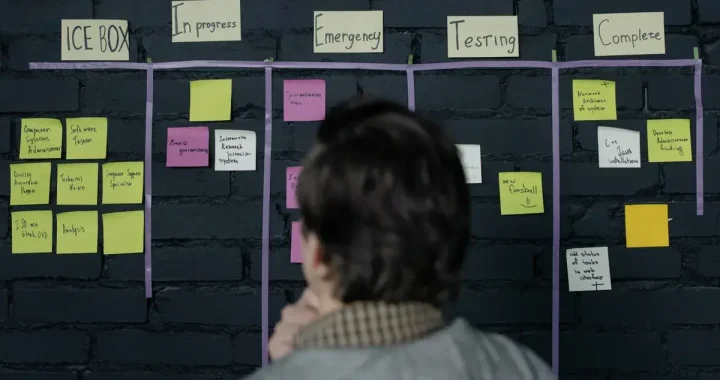
A simple routing map can look like this:
- Route clear, low-risk requests to the standard content queue.
- Route strategic requests to the editorial lead for a second look.
- Route incomplete requests back to the sender.
- Route sensitive claims, legal language, or technical detail to a specialist before drafting.
- Route overflow work to a later date when the queue is full.
A boring routing rule is usually the safest one. It should feel obvious after one week. If people need a meeting to interpret it, the rule is too vague.
Now, you might be wondering how detailed this should get. Keep it to the minimum that removes confusion. A 1-page routing chart is usually enough for a small team, and a shared board with 3 statuses is often enough to keep the handoff clean.
- One owner per request
- One next action per status
- One place to check capacity before accepting the work
How do you check capacity before saying yes?
A capacity check tells you whether the team can take the request now, later, or not at all. Picture this: you’re looking at a full week, two out-of-office notices, and a client request marked urgent. The queue does not need another yes. It needs a realistic slot.
This step protects the team from overcommitting. It also protects the requester, because a fast no is better than a silent delay.
Use a simple capacity view with three numbers or labels: available slots, committed work, and overflow. If your team works in weekly cycles, check the next 7 days. If the work is bursty, check the next 2 weeks instead.
A capacity check should answer:
- How many requests are already committed
- Who can take new work
- Whether a request needs delay, reassignment, or rejection
If the queue is full, the triage system should not accept the request just because it looks easy. Easy work still takes review time, editing time, and handoff time.
The editorial lead needs one rule for overload: pause intake, move lower-priority items out, or send the request back with a new date. Without that rule, capacity becomes a guess and the queue starts to lie.
What are the common mistakes in request filtering?
The biggest mistake is treating every content request as equal. Picture this: you’re sorting requests by who sent them, not by business value, and the team spends a week on low-impact work while urgent work waits. That costs time, trust, and focus.
The next mistake is accepting vague requests because they feel “small.” Small requests can hide the biggest gaps. If the goal, audience, or source material is missing, the work will bounce back later and cost more.
A third mistake is using triage as a punishment. If people think the form exists to block them, they will send requests around it. Then the system breaks and the inbox becomes the system again.
Avoid these traps:
- Do not make the form longer every time a problem appears
- Do not route by seniority
- Do not score urgency without a written rule
- Do not accept work when the queue is already over capacity
One practical standard helps here: if a request can’t be explained in one sentence, it probably isn’t ready for production. That is a useful stop sign, not a rejection of the idea itself.
How do you triage writing requests?
You triage writing requests by checking completeness, scoring urgency, and routing the work to the right owner. First, confirm the brief has a clear audience, goal, deadline, and source material. Then use a simple priority score and send the request to accept, hold, reject, or reassign.
What should happen when a content request comes in?
It should enter one intake path and get one first review. The editorial lead or designated reviewer should check the form, assign a priority level, and route it within the same day or the next working block. If key details are missing, the request goes back before scheduling.
How do teams decide which content to do first?
They compare business impact, deadline, and readiness. High-impact work with a real deadline often rises first, but only if the brief is complete enough to start. If two requests tie, capacity and strategic fit break the tie.
FAQ
How do you triage writing requests?
You triage writing requests by checking completeness, assigning priority, and routing them to the right queue. The request should first pass a brief completeness check, then a simple score for urgency and impact, then a capacity check. If any piece is missing, the request should be held or sent back.
What should happen when a content request comes in?
It should land in one intake system and get one first-pass review. The reviewer confirms the request has a goal, audience, deadline, and owner before it enters production. If the request is incomplete, it goes back for more detail instead of taking a place in the queue.
How do teams decide which content to do first?
They compare business impact, urgency, and readiness. A request with a hard deadline and clear assets may beat a bigger project that still lacks details. Capacity matters too, because a team can only take the work it can actually finish.
What is the point of a content intake triage system?
The point is to stop bad requests from entering production and to keep good requests moving. A triage system saves time by filtering out vague asks, exposing real deadlines, and sending work to the right owner. It also makes the queue easier to trust.
Drafted with AI; not yet reviewed by a person.